


Picture a user who’s confused and frustrated on your website. They scroll up and down the page a few times, hesitate for a couple of seconds before clicking a button, start filling out a form and abandon it halfway, then leave your site altogether. In your analytics dashboard, that entire experience gets reduced to a single number: “bounce.”
This is one of the biggest problems product teams face when they rely on dashboards packed with metrics but never really understand what’s going wrong. Conversion rates drop. Funnels leak. Features don’t perform as expected. And the team is left without a clear explanation, forced to analyze everything based on assumptions and educated guesses.
Traditional analytics tools are precise, but they compress the full story of user interactions into a handful of numbers. They give us metrics like conversion rate, bounce rate, average session duration, or page views, but they ignore the human side of the user experience. In other words, these tools tell us what happened, but usually fail to answer the more important question: why it happened. Why did users leave the page? Why didn’t they understand the core value proposition? Why did a seemingly small change suddenly introduce friction?
In complex digital products, the gap between numbers and real user experiences can be really costly. It often pushes teams to make changes and optimizations based on assumptions, leading to decisions that might make sense on paper but fall flat in practice. These abstract choices can push users away from the product.
This is where a different perspective and more modern analytics tools become essential.
Session Replay is a tool that lets you see real user interactions on a website or mobile app, showing every click, mouse movement, form entry, page scroll, and more exactly as it happened. Instead of trying to make sense of user behavior through numbers, you can catch hesitation, confusion, friction, and user intent as it happens. Every action—or misstep—tells a story that metrics and raw numbers just can’t fully capture.
This article looks at what Session Replay is and how it can help teams close the gap between numbers and real human experience. By the end, you’ll see how actually watching users interact and experience your product can lead to more empathy, clearer insights, better decisions, and ultimately products built around how people really behave, not just our assumptions.
Try our Session Replay tool to start seeing exactly how users interact with your website or app.
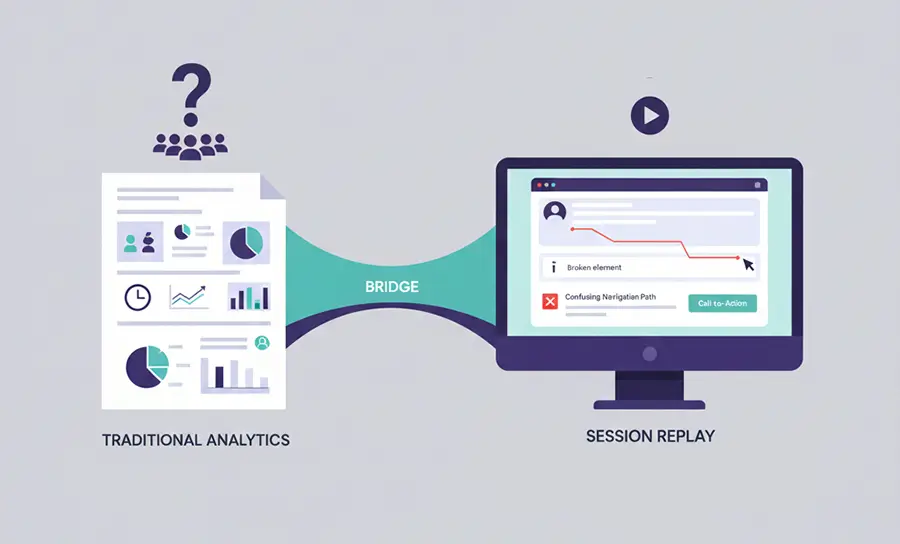
What is Session Replay?
Session Replay captures and reconstructs pretty much every user interaction on your website or app. By tracking things like mouse movements, clicks, scrolls, taps, and how forms are filled out, it builds a moment-by-moment playback of the user’s journey, letting you see your product pretty much through their eyes.
The tool works by adding a simple, lightweight script. It’s worth noting that session recording isn’t really a video of the user’s screen. Instead, it keeps track of all the events triggered by the user—like mouse movements, clicks, and so on—in order, and then visually simulates them to recreate the experience.
With this, developers, product managers, and growth teams can spot friction points, moments of confusion, hidden bugs, confusing navigation, and broken features—without collecting personal data. The result is a clearer picture of the user experience and practical insights to improve interactions and boost conversions.
Phrases like session recording, user session playback, and website session replay are often used interchangeably, but they all refer to the same concept.
Practical example:
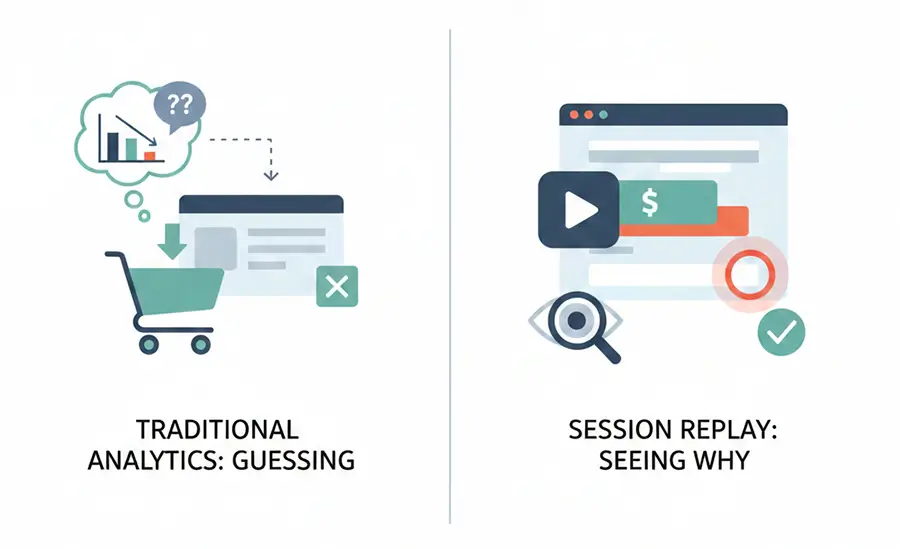
Imagine a user browsing an online shoe store, finding the pair they like and getting all the way to the checkout page, only to leave before completing the purchase. With traditional analytics tools, all you really see is that the user left the checkout page, without knowing what actually caused it. Was a promotional banner blocking the payment button? Did the address form confuse or discourage them? Session replay removes the guesswork and helps you see exactly why users abandon the checkout process.
Why Session Replay Is Critical for Businesses?
As mentioned earlier, the most important advantage of session replay is that it gives teams real, precise data and removes much of the guesswork from decision-making. If we want to point out three core reasons why this tool is genuinely vital for businesses, they can be summed up as follows.
Finding UX Issues Instantly
No matter how experienced your UX and testing teams are, there are always interface issues that only real users encounter. Session replay helps you uncover hidden obstacles and pain points as people navigate your website.
Behaviors like rage clicks and dead clicks are clear signs that something isn’t quite working in your UX. Session replay lets you spot and analyze these patterns fast, so you can fix the root problems and deliver a smoother, more polished user experience.
Identifying Conversion Blockers
Session replay shows user behavior and interactions moment by moment, as they actually happen. Traditional analytics might tell you there was a bounce on the checkout page, but session replay lets you see what really went wrong. For example, you might notice that after a modal opens, a user can’t figure out how to close it and eventually leaves the site.
At that point, there’s little room for guesswork or vague assumptions. You can see the exact cause. This kind of insight into real user experiences makes it easier to keep removing friction, confusion, and those hidden obstacles that quietly hurt conversions.
Debugging Faster
One of the biggest challenges for technical teams is reproducing bugs that users report. Session Replay takes a lot of the guesswork out of this and can significantly reduce mean time to resolution (MTTR), since developers can see the exact sequence of actions that led to an error, along with details like the browser type or operating system.
Instead of spending hours going back and forth with customers just to figure out what happened, support teams can share a direct session link with engineering. This way, the issue gets reviewed without manual reproduction or a bunch of assumptions.
Comprehending User Psychology
With session replay, it’s like you’ve placed a chair right next to your user, so you can experience the site alongside them. You can see which parts of your site they enjoy, what actions they take quickly and instinctively, where they hesitate or pause, which sections they ignore, and when they get frustrated or annoyed. These are insights you simply can’t get from numbers alone.
This is the deep understanding that session replay provides into how your users interact with your site. With such a clear view of their emotions and intentions, you can design a product that better aligns with your users’ mental models and expectations.
Saving Time and Reducing Costs
In the past, businesses spent tons of time and money talking to users, tracking down bugs, and figuring out issues; often guessing along the way. And of course, mistakes from those guesses could end up costing even more. Nowadays, session replay lets you review thousands of real user sessions at a fraction of the cost.
Some platforms, like Skippership, provide AI-generated summaries of these sessions. Instead of watching thousands of replays, teams can quickly gain key insights, saving significant time and effort.
How Session Replay Works
Some people assume that session replay is just a heavy video recording of a user’s screen. That’s actually not the case. Session replay is a smarter, event-based way to capture user interactions, rather than a classic screen recording.
Data Collection
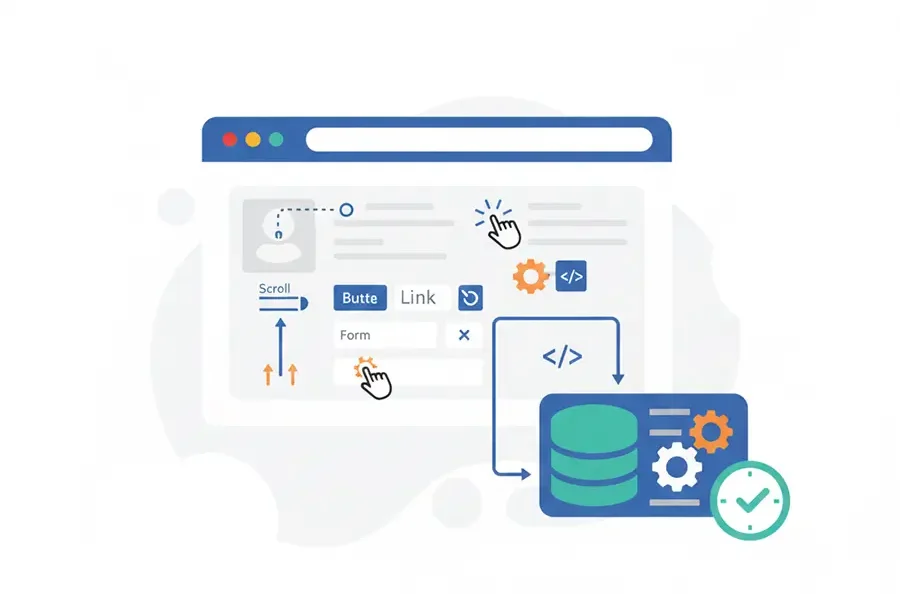
As mentioned earlier, session replay starts by installing a lightweight script on the website. When a page loads for the first time, this script takes a quick snapshot of the page’s initial state. From there, it records every change that happens on the page, including:
- Mouse movements and the moments where the user pauses
- Scrolling behavior and the direction of scrolling
- Clicks on buttons, links, and form fields
- Taps on mobile devices
- Keyboard input
Along with these interactions, some basic context is also stored, such as whether the user is on mobile or desktop and which browser they’re using.
The important thing to note is that all of these changes are recorded with exact timestamps, so the user’s entire journey can later be reconstructed accurately, step by step.
Privacy Matters? (Anonymizing the Data)
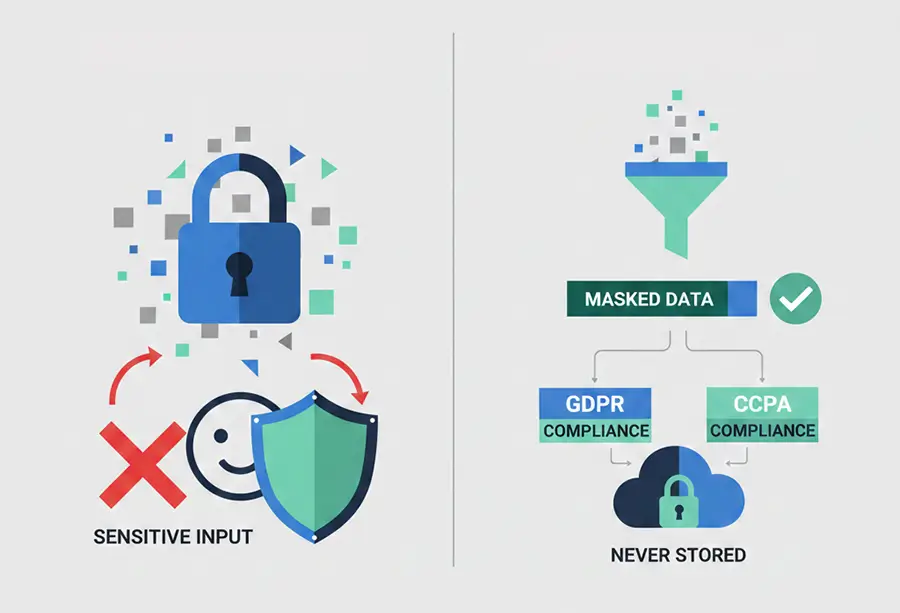
There’s always been some concern about whether session replay tools store users’ personal information. The answer is pretty clear: no. Security and privacy are top priorities for these tools.
Before any data is stored, it’s first checked to see if it’s sensitive. Passwords, credit card numbers, and personally identifiable information (PII) are treated as sensitive data. If any sensitive input is detected, it’s anonymized and encrypted before being sent to the server.
Therefore, it can be guaranteed that user privacy is fully protected and everything is handled in accordance with GDPR and CCPA regulations.
Session Reconstruction
At this stage, the raw data collected is organized. The system reloads the snapshot and applies the recorded changes and events in order, effectively recreating the user’s experience from start to finish. The result is a visual output that shows exactly what the user saw and how they interacted with the page.
Rather than recording a full, heavy video of the page, sessions are rebuilt by capturing specific events. This approach comes with several clear advantages:
- Lower storage requirements: Text-based, event-driven data takes up far less space than video files.
- Faster loading: Replays load quickly because the browser just re-executes the instructions; there is no need to play a bulky video.
- Modern compatibility: This method works smoothly with single-page applications (SPAs) and complex features like the Shadow DOM.
Replay in the Dashboard
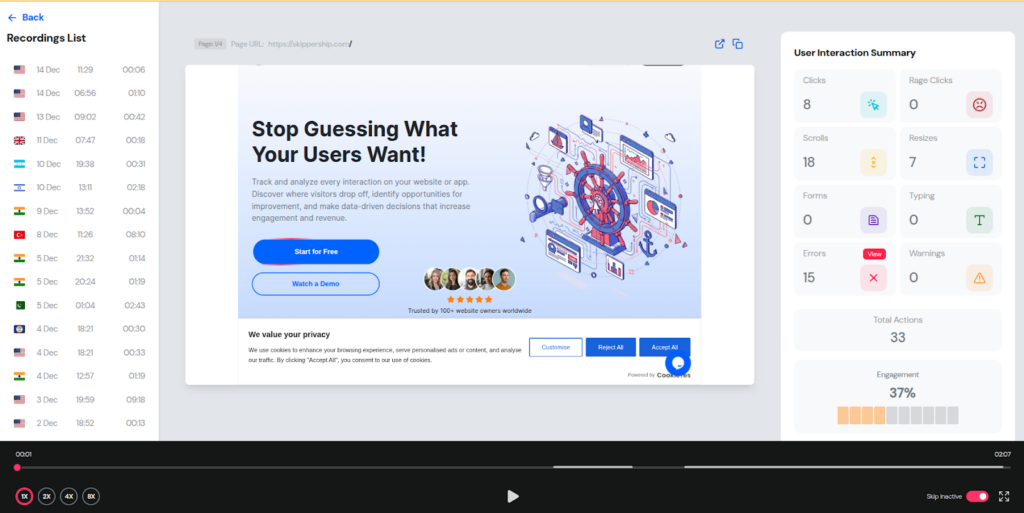
You can watch session replays in a dashboard as a kind of video overview. As you follow the user’s journey, you can check out each step in detail. When a user struggles or does something unusual, you can pause the video and replay that section as many times as you need.
Many dashboards automatically mark friction points, like “rage clicks”, with special icons on the timeline, making them easier to find and analyze.
All the insights you gain from these replays can be used to build heatmaps and examine conversion paths, helping you better understand user behavior and improve the user experience.
Fast User Data Processing
To keep your website running smoothly, recording scripts are built to be really lightweight. They send data in batches, compressed, only when the browser is idle. This fast, efficient process even lets support teams, in some cases, watch a user’s session almost in real time and help them right away (Co-browsing).
Basically, user behavior data is processed nearly in real time, or really close to it. Why? To ensure session replays are completely smooth and responsive.
This approach comes with a bunch of clear benefits:
- User journey replays load faster with minimal lag.
- User data stays private, keeping you compliant with all necessary regulations.
- Insights show up almost instantly, so you can quickly improve the user experience and boost conversion rates.
What Session Replay Is NOT
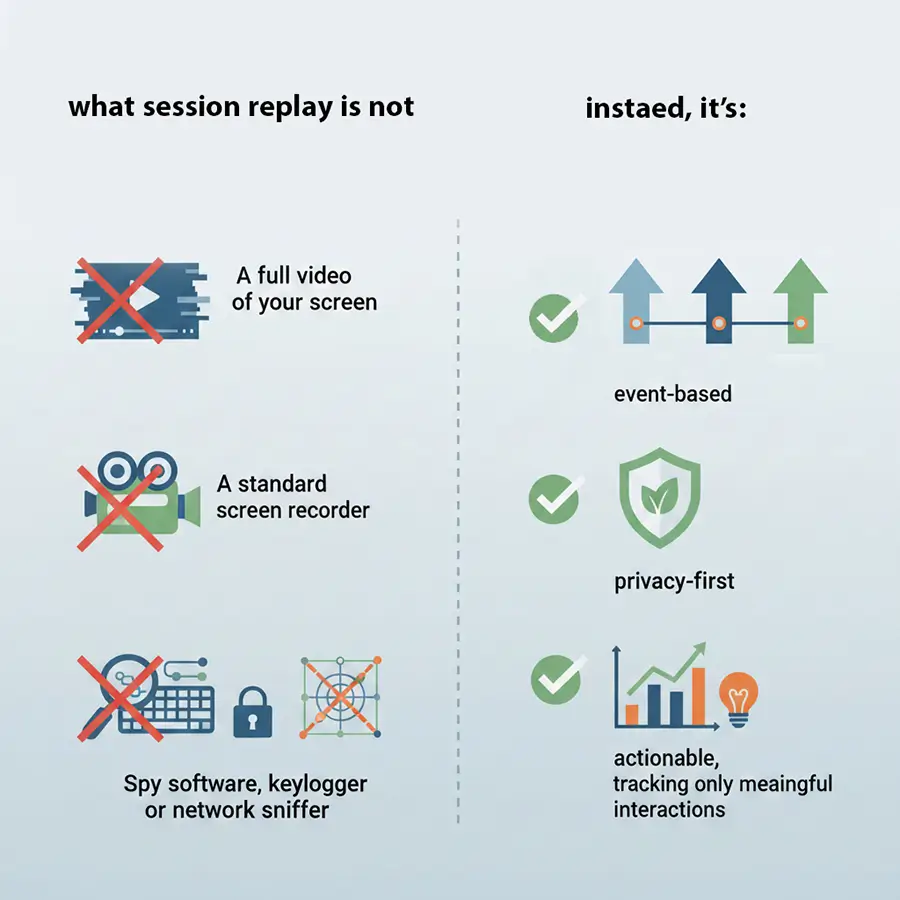
Session replay is not:
- A full video of your screen
- A standard screen recorder
- Spy software, keylogger, or network sniffer
Instead, it’s event-based, privacy-first, and actionable, tracking only key user activities.
Real-World Examples: What Session Replay Can Do
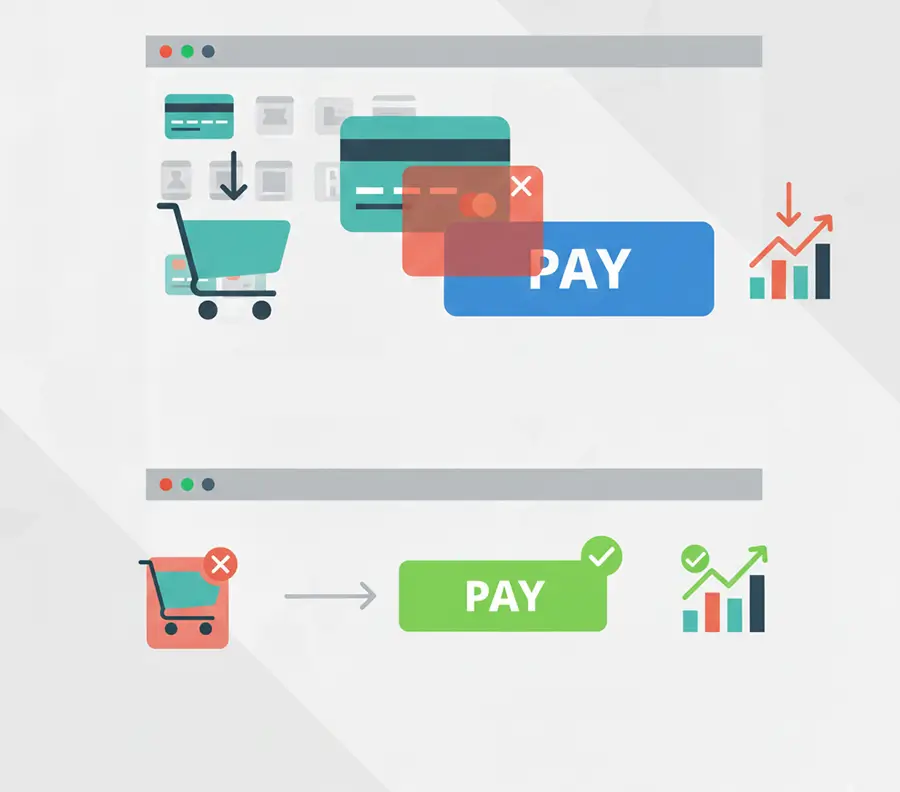
Reducing Drop-Off at Checkout
In a sporting goods store, analytics showed that users were abandoning the checkout page before completing their purchases. Session Replay revealed the reason: a newsletter signup modal was suddenly appearing on the checkout page, covering the “Pay” button. When users tried to click the modal’s close button or anywhere outside the modal, it wouldn’t close. This issue was directly preventing customers from completing their payments. Once the problem was identified and fixed, the store saw a significant increase in conversion rates.
Boosting Feature Usage
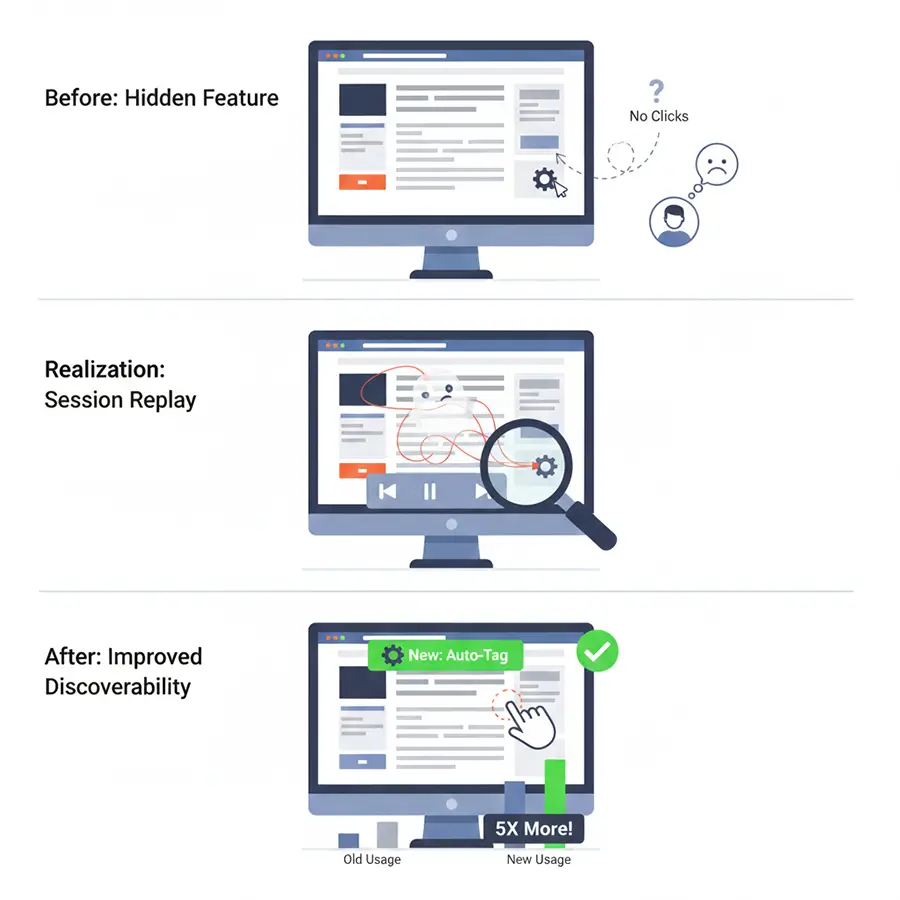
An online learning platform introduced an AI-powered feature that suggests personalized courses to help users learn faster and more efficiently. However, most users did not use it. Session replays revealed the reason: the courses were labeled “Related Courses,” but there was no clear explanation of what that meant.
The product team added a small tooltip to the label. It read: “Click this option to see courses smartly recommended based on your learning path and pace.”
After this change, more users started using the feature.
Catching Frustrated Clicks
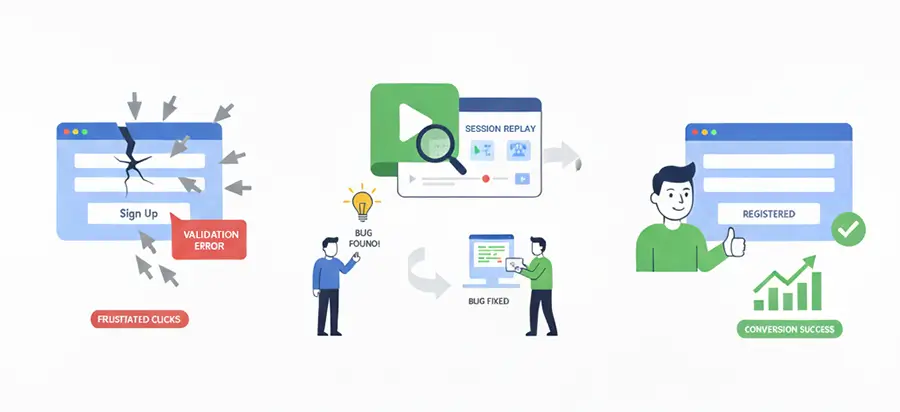
An online fashion store made a fast and easy sign-up form so users could join quickly. However, over time, they saw that fewer people were finishing the registration process.
After reviewing user sessions, the team discovered the problem. On older browsers, filling in the “Date of Birth” field caused a hidden error that turned off the “Sign Up” button. Users did not see any message or warning, so they assumed the form was broken.
As a result, people kept clicking the button and sometimes re-entered all their details, but nothing happened. Many became frustrated and left the page.
After the technical team fixed the issue and made sure the form worked on all browsers, people started registering again.
Fixing Mobile App User Flow
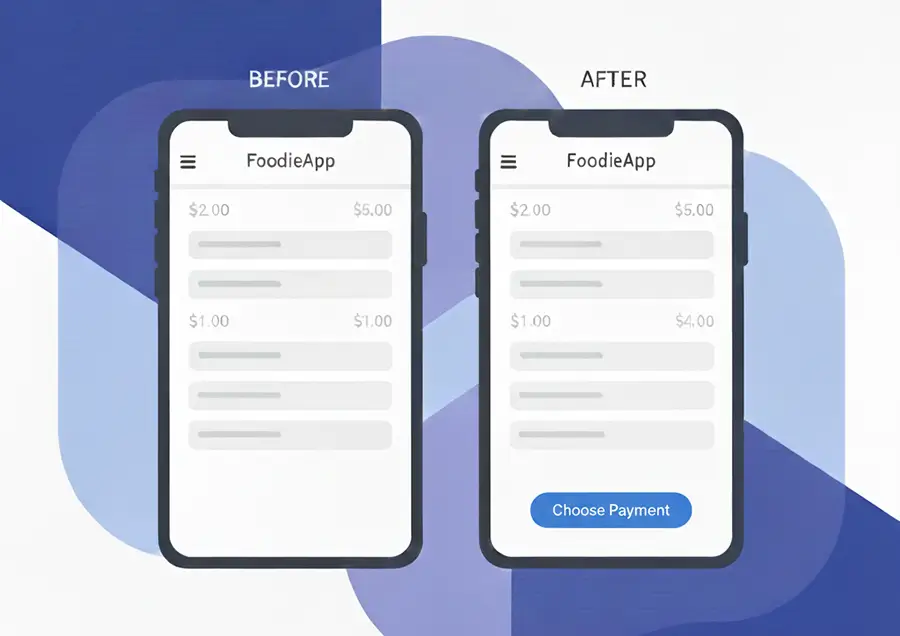
The product team saw that many users on the food delivery app left before picking a payment method. Session Replay revealed the problem: the “Choose Payment” button was hidden at the bottom of the checkout page and was hard to see, especially on smaller phones or in portrait mode. Some users tried to scroll, but with long lists and banners, they still missed the button and gave up on their orders.
Once the design team made the “Choose Payment” button larger and moved it higher on the page, users found it quickly and more people finished their orders.
Session Replay vs Other Behavior Analytics Tools
There are many tools available for analyzing user behavior, all aiming to help you understand how users actually interact with your website or application. In this article, we compare some of the most important behavior analytics tools with session replay. You’ll see that because session replay captures highly detailed, moment-by-moment user behavior, it ends up being one of the most powerful and impactful tools for truly understanding the user experience.
Session Replay vs Heatmaps
The most basic difference between heatmaps and session replay comes down to the type of data they show. Heatmaps present aggregated data. What does that mean exactly? They look at the behavior of a large group of users and then show you which parts of your site get the most clicks, attention, or interaction overall. Session replay, on the other hand, looks at each user individually, step by step, as things actually happen.
In simple terms, heatmaps surface user issues at a macro level, while session replays reveal problems at the individual level.
Heatmaps are mainly used to discover general interaction patterns and improve page layouts or element placement. They help you see where attention naturally goes, as well as which areas tend to be overlooked. Session replay, however, is better suited for uncovering flaws in UX flows, watching specific user struggles, and spotting the exact moments that trigger hesitation, confusion, or uncertainty during the journey.
Session Replay vs Video-Based Recording
In traditional video recording, everything on the screen is captured frame by frame. In practice, this means that even small changes, such as clicks, scrolls, or similar actions, are stored as images. The result is a large, heavy file that loads slowly, plays poorly, and uses up a lot of system resources. These recordings can also reveal users’ sensitive information, creating clear security and privacy compliance risks.
Session replay works a bit differently. Rather than recording actual video, it logs user events and interactions and then reconstructs them into a visual playback. This makes the final replay lightweight and compact, yet still easy to watch and analyze.
From a privacy perspective, session replay is also the safer choice. Since sensitive data such as form inputs, passwords, or personal information can be masked or removed, this provides stronger protection than video-based recording.
Session Replay vs Funnel Analysis
Funnel analysis is a tool that shows user behavior as aggregated data. Its main job is to highlight, for example, what percentage of users move from step 1 to step 2, or where the biggest drop-offs happen along a particular path. But funnel analysis alone can’t tell you why these drop-offs occur.
For example, say funnel analysis shows that 40% of users abandon the checkout process on a website. By watching session replays, you can determine whether the issue is due to a technical glitch, confusing forms, complicated steps, or another reason.
Put simply, funnel analysis shows you that there’s a problem and roughly how big it is, while session replay reveals exactly what that problem is.
Full Compliance with GDPR and CCPA
People often wonder if session replay is safe to use. The answer is yes. These tools are designed with user security and privacy in mind. Here’s how they keep your information protected.
GDPR / CCPA Compliance
Session replay follows international data protection standards:
- GDPR (EU): Makes sure user consent is obtained, data collection is kept to a minimum, and all processes are transparent.
- CCPA (California, USA): Gives users control over the personal info collected about them and lets them opt out if they want.
Following these rules helps prevent the misuse of data and maintains users’ trust.
Automatic Masking of Sensitive Information
One key security feature is the automatic identification and hiding of sensitive user data. Session replay masks or blocks personal information such as names, email addresses, phone numbers, passwords, credit card numbers, and more.
Some tools even have a Private by Default mode that automatically hides all text fields unless explicitly allowed.
No Keystroke Recording
Session replay is different from keyloggers because it never records individual keystrokes. Even if you type in a non-sensitive field, that information isn’t saved.
Encryption & Edge Processing
- Encryption: All data is encrypted both while in transit and at rest, so even if someone gets unauthorized access, it can’t be read.
- Edge Processing: Data is processed as close to the user’s browser as possible, keeping sensitive info from being sent insecurely to servers and boosting both speed and security.
Additional Security Practices:
- Data Anonymization: Anything that could directly identify a user, like IP addresses, is removed.
- Role-Based Access Control (RBAC): Determines who in the organization can view session replays.
- Transparency and Opt-Out: Websites must disclose the use of session replay in their privacy policies and provide users with an opt-out option.
Together, these measures make sure session replay delivers detailed insights into user behavior while keeping security and privacy fully protected.
Who Should Use Session Replay?
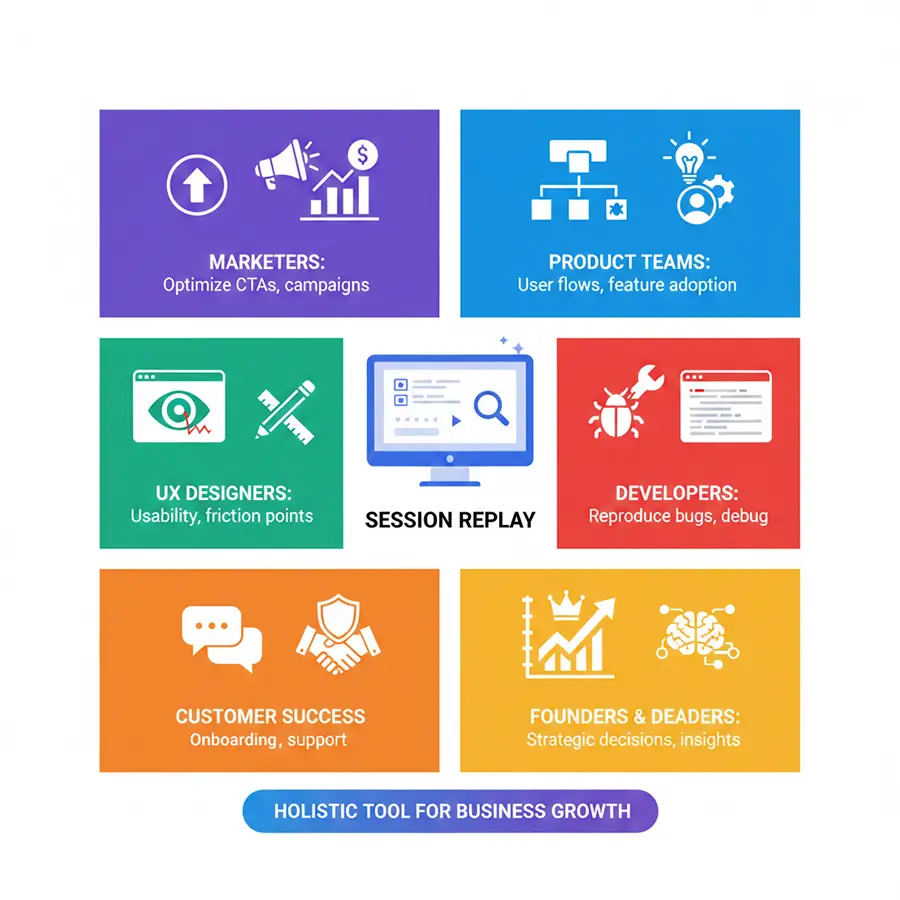
Session replay is versatile and benefits multiple teams by providing qualitative context behind analytics.
Marketers
- Optimize CTAs and promotional campaigns
- See how users interact with landing pages or banners
- Identify which content encourages conversions
Product Teams
- Observing user interactions to figure out why adoption is low.
- Identifying any confusing flows or features that aren’t being used enough.
- Testing out new features and measuring exactly how much real engagement they’re getting.
UX Designers
- Detect usability issues quickly
- Observe friction points in real sessions
- Validate design changes with real user behavior
Developers
- Reproduce bugs without guesswork
- Debug frontend issues faster by pairing replay with console logs
- Test fixes before deploying broadly
Customer Success Teams
- Understand customer pain points during the onboarding process or workflows
- Provide better support by reviewing actual user sessions
Founders & Product Leaders
- Make well-informed, strategic decisions backed by data.
- Bridge the gap between your dry analytics numbers and the rich, qualitative insights.
- Prioritize improvements with a clear understanding of the conversion impact.
The Key Insight? Session replays have ceased to be mere tools for UX or developer teams. They offer enormous value to marketing, product, support, and executive teams, rendering them a genuinely holistic tool for business growth.
Common Misconceptions About Session Replay
Despite all these benefits, session replay is occasionally misunderstood. So, let’s dispel the misconceptions and identify the most frequent myths that we encounter:
“It Slows Down My Website”
That answer used to be “yes” depending on the old tools you were using. We won’t lie, some reports showed that session replays used to be noticeably slow.
However, that problem is completely resolved today. Platforms like Skippership load their scripts in a fraction of a second and transmit data using WebSockets, that’s a direct, real-time connection.
“It captures personal data”
- Privacy-first architecture: PII such as passwords, credit card numbers, and email addresses is always masked.
- No keystroke is recorded, and forms are anonymized.
- Only significant interactions are logged for actionable insights.
“It is a video”
- In contrast to screen recordings, session replay is DOM and event-based, not pixel-based.
- It loads faster, uses less storage, and is compatible with SPAs, dynamic pages, and mobile apps.
- AI summaries provide the same understanding of user behavior without requiring the team to watch the whole session.
“It replaces analytics”
The real situation is that your analytics are complemented by session replay; it definitely does not replace them.
Think of it like this:
- Quantitative data (your typical analytics) informs you of “what” took place (e.g., 50% dropped off here).
- Session replay tells you “why” it happened (e.g., they were confused by this particular form field).
- If you combine replay with your heatmaps, funnels, and product analytics, you really have a complete picture regarding user behavior.
“It’s only for UX specialists”
- Modern tools with AI summaries make session replay usable for any team member: marketers, product managers, support staff, or founders.
- Example: A marketer can click a button to see a full summary of user drop-offs, without needing technical expertise.
How to Choose the Right Session Replay Tool
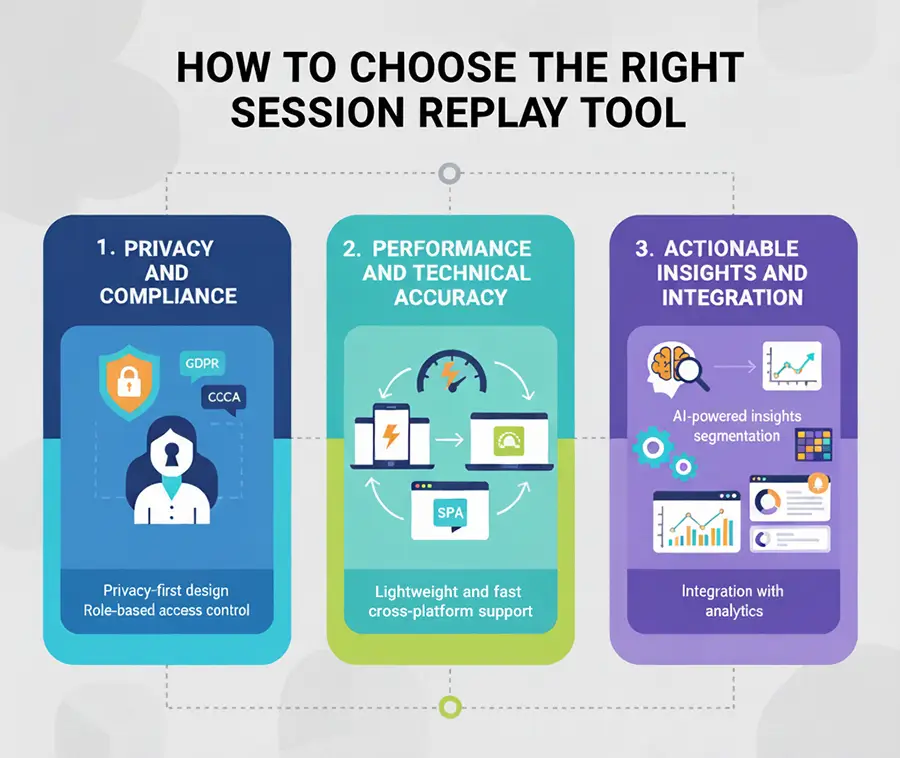
When evaluating tools, it is most beneficial to focus on three main areas: security, performance, and operational value.
1. Data Protection and Following Legal Guidelines (The Non-Negotiables)
- Privacy-first design: This point is definitely not up for discussion. The tool should automatically obscure sensitive data to comply with major laws such as GDPR and CCPA, which is key to upholding customer confidence.
- Access control by role control: You should be able to specify exactly who in your company can view recorded session data to ensure security within your enterprise.
2. Performance and Technical Accuracy
- Lightweight and fast: Tool performance is key. Your site should not be slowed down by the tool. Make sure the recording is DOM-based (event-based) and not from a heavy, outdated video.
- Cross-platform support: On the whole, it should work smoothly across all devices and browsers, and even without problems, it should be able to handle complex, modern architectures such as Single-Page Applications (SPAs).
3. Actionable Insights and Integration (The Value Drivers)
- AI-powered insights: You should find a tool that uses AI to handle the heavy lifting. It should be able to automatically detect and summarize the most important user pain points, like rage clicks, errors, or unexpectedly long sessions, so that your team is not wasting time watching the replays one by one.
- Session segmentation: You should be able to segment recordings by different criteria, for instance, users who encountered this error or abandoned their carts.
- Integration with analytics: This instrument should integrate with funnels, heatmaps, and other product analytics to easily link what happened to why it happened.
- Visual and user-friendly dashboards: The interface must be not only easy to use but also accessible to different teams (product, marketing, support) and simple to navigate.
- Custom alerts for friction points: You can get instant notifications for important problems such as broken forms or errors that are not expected
Why Skippership Is Different: Insights on Demand
Skippership was created to address the issue that traditional session replay is the most time-consuming.
We have wrapped up advanced AI, powered summaries with session replays, so your teams can get actionable insights right away. The idea of requiring numerous people to watch every minute of every session is replaced by simply one click, which results in:
- An accurate summary of the user’s interaction with the product or service.
- The most important friction points, errors, and, from a usability perspective, specific parts encountered by only one user.
- Clear, simple ways to drive immediate conversions and enhance UX.
Key Features That Drive Action
- Beginner-friendly dashboards: Get started and find answers immediately.
- Lightweight script: Zero impact on site performance.
- Conversion-focused insights: Everything we show you ties back to business impact.
- Insight -> Action loop: Quickly move from identifying a problem to planning a fix.
The Bottom Line: Our AI summaries allow teams to skip watching full sessions while still understanding all user interactions. This makes session replay practical, efficient, and valuable for everyone in your organization.
Final Thoughts: Completing the Picture
Session replay is the additional context that your regular analytics can’t provide.
By smartly mixing quantitative metrics (the ‘what’) with qualitative insights (the ‘why’), your teams are now able to:
- Find out the main reason for user behavior.
- Make accurate UX changes.
- Increase conversions in a trustworthy way.
AI-powered solutions, such as Skippership, have transformed user behavior analysis into an easy, highly productive process. They extract deep insights from user interactions and translate them into immediate, measurable business actions, moving your team from observation to action.
FAQ About Session Replay
It’s used to actually observe real user interactions. You can uncover frustrating UX issues, pinpoint exactly what’s blocking conversions, and ultimately improve your entire digital experience.
Absolutely. Modern, privacy-first tools automatically mask Personally Identifiable Information (PII) to fully comply with GDPR, CCPA, and other global regulations.
Not if you’re using a modern tool. We use lightweight, event-based tracking combined with edge processing, which ensures minimal impact on your site’s speed.
No, it’s a common misconception. It doesn’t record a video file; it reconstructs the session dynamically using DOM snapshots and recorded user events.
Passwords, credit card numbers, and other sensitive personal information are all automatically masked and excluded from recordings by default.
Heatmaps show you the aggregate trends (where everyone clicked). Session replay shows you the individual interactions and the context behind why one specific user behaved that way.
Any business where UX and conversion optimization are critical! That includes e-commerce, SaaS, finance, education, and many others.
Yes, good tools support dynamic content, complex Single-Page Applications (SPAs), and mobile interactions seamlessly.
Definitely, privacy-first design, automatic PII masking, and end-to-end encryption ensure safety. These measures always protect your customer data, making session replay a reliable foundation for effective e-commerce optimization without compromising user trust.
The AI highlights the most important friction points and errors, so your teams can instantly focus on actionable insights instead of spending hours watching every full session.